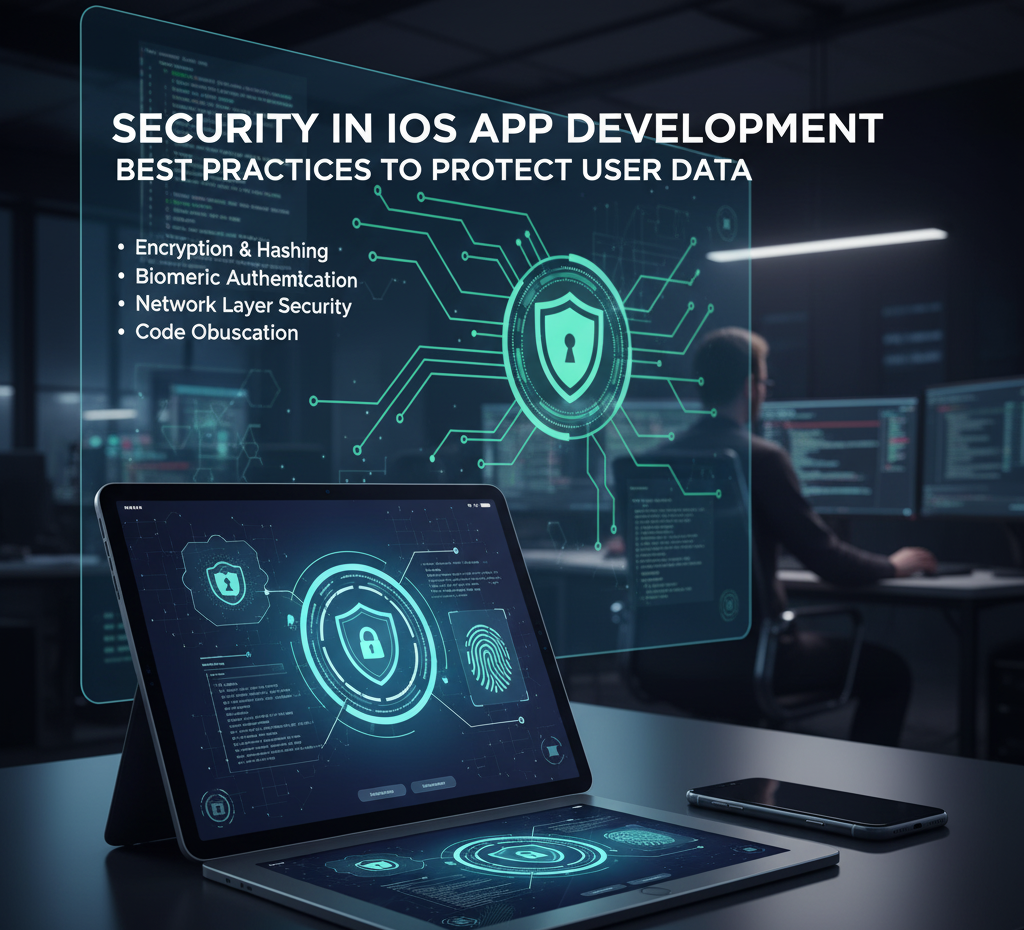
In a world where mobile apps handle everything from banking to healthcare to e-commerce, security is no longer optional—it’s a responsibility. iOS has always been known for its strong security ecosystem, but even the best platforms require developers to follow correct practices to ensure data protection.
At BestoDesign Solutions, we specialize in building secure, scalable, and privacy-focused iOS applications. With years of experience in Swift, SwiftUI, and enterprise-level app architectures, we understand how critical it is to integrate robust security measures at every stage of development.
This blog explains the most important iOS app security best practices that help protect user data and maintain trust in your application.
Why Security Matters in iOS App Development
Even though iOS is considered more secure than Android, threats still exist:
- Data breaches
- Unauthorized API access
- Jailbreak attempts
- Man-in-the-Middle (MITM) attacks
- Insecure storage
- Weak encryption mechanisms
A single security flaw can cost businesses millions, lose customer trust, and trigger legal action under data privacy laws like GDPR and the Indian DPDP Act.
Following strong security practices is essential for app longevity, compliance, and user confidence.
1. Use Apple’s Secure Enclave and Keychain Services
Apple Keychain securely stores sensitive information like:
- Passwords
- Tokens
- API keys
- Private keys
Instead of storing confidential data in UserDefaults or local storage, developers should use Keychain Services, which are hardware-backed and encrypted.
Best Practice:
Use Keychain to store authentication credentials and never hardcode keys inside the app.
2. Always Implement End-to-End Encryption
iOS provides powerful encryption frameworks like:
- CryptoKit
- CommonCrypto (legacy)
Every app dealing with sensitive data—banking, healthcare, finance, or user identity—must encrypt:
- Data in transit
- Data at rest
- Local database entries
Using HTTPS with TLS 1.2+ is mandatory for secure communication. Apple’s App Transport Security (ATS) enforces this by default, but make sure it remains active.
3. Follow Secure Coding Practices
Following OWASP guidelines helps prevent vulnerabilities such as:
- SQL Injection
- XSS
- Buffer overflow
- Code tampering
- Insecure deserialization
Secure coding tips:
- Validate all inputs
- Avoid dynamic SQL queries
- Avoid exposing internal errors
- Remove debugging logs before release
At BestoDesign Solutions, all code undergoes a security review to prevent exploit attempts.
4. Enable Biometric Authentication (Face ID & Touch ID)
Apple’s LocalAuthentication framework allows simple integration of:
- Face ID
- Touch ID
- Passcode authentication
Adding biometric authentication enhances:
- Login security
- Payment protection
- Sensitive action confirmation
This ensures even if someone steals a device, your app remains protected.
5. Protect APIs with Strong Authentication
API vulnerabilities are one of the most common ways attackers breach apps.
Best practices:
- Use OAuth 2.0 or JWT
- Implement rate limiting
- Use IP whitelisting for admin endpoints
- Add server-side authentication
- Avoid sending sensitive data in GET requests
Ensure the server validates the app—not just the app validating the server.
6. Secure Data Storage—Never Store Plaintext Information
Apps sometimes store user data for offline access, but plain storage is risky.
Use:
- Core Data with encrypted stores
- File system encryption
- Keychain for sensitive information
Avoid storing:
- Passwords
- Raw personal data
- Payment details
Local data should be encrypted or hashed for complete protection.
7. Use Secure Networking with Certificate Pinning
Even with HTTPS, fake certificates can lead to MITM attacks.
Certificate pinning ensures your app only communicates with trusted servers.
This adds a powerful extra layer of protection for:
- Banking apps
- Wallet apps
- Personal identity apps
- Secure messaging platforms
8. Regular Security Audits and Penetration Testing
Security is not a one-time task. Regular testing ensures new vulnerabilities are detected early.
At BestoDesign Solutions, we perform:
- Static code analysis
- Dynamic security testing
- API penetration testing
- Third-party library vulnerability scans
This ensures your app stays secure as the threat landscape evolves.
9. Follow Apple’s Human Interface & Security Guidelines
Apple prioritizes privacy-first development. Following official documentation reduces risk and ensures compliance with App Store approval requirements.
Developers must:
- Disclose data usage
- Request only necessary permissions
- Avoid unnecessary background access
- Implement secure data-sharing policies
Conclusion
Security is the foundation of a successful iOS application. With rising cyber threats, users expect apps to protect their data with the highest standards. By integrating encryption, secure storage, API protection, biometric authentication, and regular testing, you can significantly enhance your app’s safety.
At BestoDesign Solutions, we build iOS apps that are not only visually stunning and high-performing but also secure, compliant, and trusted.
Whether you are launching a startup app or scaling an enterprise solution, our team ensures your application meets the highest security benchmarks.
Need a Secure iOS App? Let’s Build It Together!
Get in touch with BestoDesign Solutions to develop a fully Security in iOS App Development, scalable, and future-ready iOS application.
Your users deserve safety, and we help you deliver it.