In today’s fast-paced digital world, mobile apps have become an integral part of our lives. Whether it’s shopping, banking, fitness tracking, or simply staying connected, mobile apps are central to the user experience. But no matter how powerful your app’s functionality is, poor UI/UX design can make or break its success. At BestoDesign Solutions, we specialize in creating mobile apps with intuitive, seamless, and engaging UI/UX to ensure that users have a smooth and enjoyable experience every time they interact with your app.
This blog will explore the essential UI/UX principles that every mobile app must follow to enhance usability, user retention, and satisfaction.
Why UI/UX Design Matters for Mobile Apps
UI (User Interface) and UX (User Experience) are often confused as one and the same, but they play distinct roles in mobile app design.
- UI design focuses on the look and feel of the app—how it looks, what colors and buttons are used, and how users interact with it visually.
- UX design is all about the user’s journey. It’s the process of improving the app’s overall feel, ease of navigation, and how intuitive the app is to use.
A successful mobile app is a combination of both. When UI and UX are aligned correctly, users find the app easy to use, visually appealing, and efficient in performing tasks.
1. Keep It Simple: Prioritize Clarity Over Complexity
One of the fundamental principles in mobile app design is simplicity. Simplicity improves usability, and it’s a core pillar of great UI/UX For Mobile Development. Users should be able to open the app and intuitively understand how to use it without a steep learning curve.
Why It Matters
- Minimalistic design leads to faster app navigation and reduces user frustration.
- Too many options or complicated designs can overwhelm users and lead them to abandon the app.
At BestoDesign Solutions, we focus on creating simple yet elegant interfaces, ensuring users can access core features with a minimal number of actions.
Best Practices
- Streamlined navigation: Use clear and simple menus, buttons, and gestures.
- Consistent design elements: Standardized icons and buttons to avoid confusion.
2. Make Navigation Easy and Intuitive
Intuitive navigation is at the heart of effective and Essential UI/UX Principles Every Mobile App Must Follow. A user should never have to guess how to move through an app—everything should feel natural and self-explanatory.
Why It Matters
- Easy navigation ensures users can quickly find the features they need, increasing retention.
- Poor navigation causes frustration, leading to higher app abandonment rates.
BestoDesign Solutions emphasizes the importance of clear user pathways within apps. We build apps with logical layouts, predictable flows, and minimal clicks to reach desired destinations.
Best Practices
- Hierarchical structure: Organize content in a way that makes sense to the user.
- Accessible navigation: Use visible menus, tab bars, and swipe features for easy access.
3. Optimize for Speed and Performance
No matter how beautiful or functional an app is, slow performance can kill the user experience. Mobile users expect instant results—whether it’s loading a page, submitting a form, or interacting with features. Slow-loading apps often lead to frustrated users who may abandon the app and opt for a competitor.
Why It Matters
- Faster loading times enhance user satisfaction, engagement, and retention.
- Users are likely to abandon apps that are slow or unresponsive, negatively affecting the app’s reputation.
At BestoDesign Solutions, we prioritize optimizing performance, ensuring that apps load quickly and run smoothly across all devices.
Best Practices
- Efficient coding: Minimize unnecessary code and optimize images to improve load times.
- Optimize for different devices: Ensure the app performs well across smartphones with various screen sizes and operating systems.
4. Mobile-First Design: Adapt for Small Screens
Mobile-first design is no longer optional—it’s essential. Since mobile devices have smaller screens, optimizing for small screen sizes is a crucial principle. Elements must be larger, easier to tap, and visually balanced to ensure that content fits comfortably on a mobile device.
Why It Matters
- Mobile-first design leads to a more responsive layout that fits screens perfectly, enhancing usability.
- Poorly designed apps that don’t consider mobile screens can create a frustrating experience, leading to higher abandonment rates.
At BestoDesign Solutions, we ensure that every design is responsive and adaptable, adjusting to different screen sizes and orientations for a consistent experience.
Best Practices
- Larger touch targets: Buttons and links should be easy to tap without errors.
- Readable font size: Use larger fonts to make text legible on smaller screens.
5. Focus on Consistency Across the App
Consistency in design is crucial for a cohesive experience. Users should feel like they are interacting with a unified product, not a disjointed one. Consistent elements like colors, fonts, icons, and buttons help users feel comfortable and confident navigating through your app.
Why It Matters
- Consistency builds familiarity, which makes the app feel more predictable and reliable.
- Disjointed designs can confuse users, leading to frustration and higher abandonment.
BestoDesign Solutions ensures a consistent visual language throughout the app, from the first screen to the last.
Best Practices
- Standardized colors, buttons, and fonts: Ensure elements have the same design style across the entire app.
- Branding consistency: Keep the app design aligned with your brand identity.
6. Prioritize User Feedback and Testing
The best mobile apps are those that are constantly improved. User testing and feedback are invaluable in understanding what works and what doesn’t. By implementing feedback loops and regularly testing features, you can enhance the UX continually.
Why It Matters
- User feedback allows designers to make data-driven decisions.
- Constant testing and improvement lead to a better, more refined app.
At BestoDesign Solutions, we integrate user feedback and perform continuous testing to ensure that the app evolves to meet user needs and expectations.
Best Practices
- In-app surveys or feedback: Use simple prompts to gather user insights.
- A/B testing: Test different design variations to see which performs better.
Conclusion
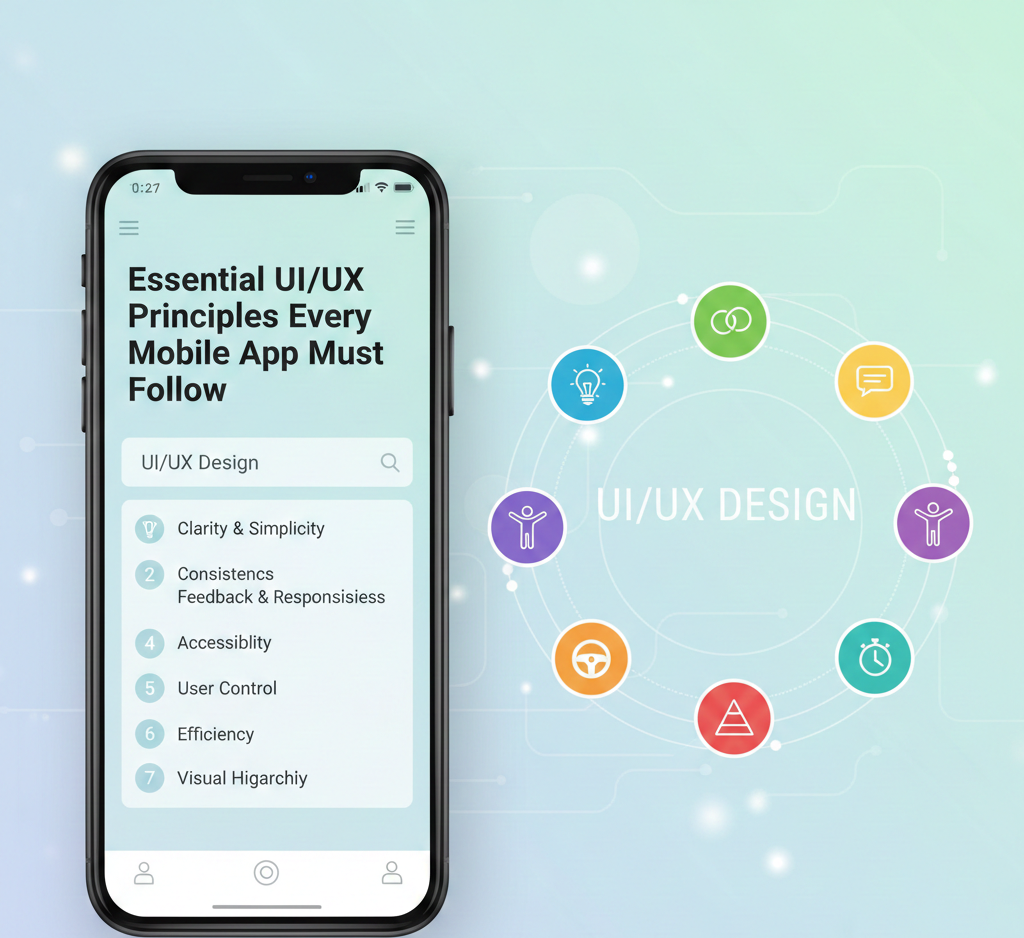
UI/UX design is crucial in the success of any mobile app. By following these essential principles—simplicity, intuitive navigation, performance optimization, mobile-first design, consistency, and user feedback—you ensure that your app provides a seamless, engaging, and user-friendly experience. At BestoDesign Solutions, we are committed to helping brands build mobile apps that are not only visually appealing but also functional and effective in meeting user needs.
Contact BestoDesign Solutions today to create a mobile app with the perfect balance of UI/UX design principles that will elevate your user experience and drive success.